User manual
Introduction
My Account
My Timelines
Create and edit a timeline
Export and import
Create and edit an event or period
Vertical view
Horizontal view
Troubleshooting
Customize
Customize a timeline
The Customize option lets you modify the visual appearance of a timeline.
From this section, you can adjust the appearance of different parts of the timeline without changing its content. The changes affect how events, periods, controls, windows and associated visual elements are presented.
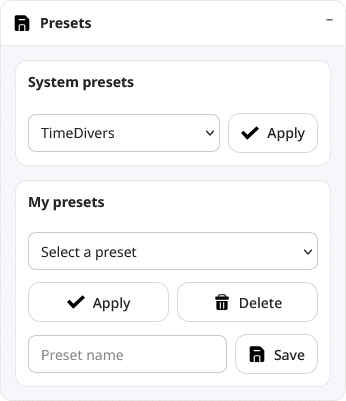
Presets
A preset is a predefined or saved visual configuration that lets you quickly apply a style to the timeline.
You can use presets as a starting point for customizing the design or to restore a visual configuration that has already been prepared.
In addition to the presets included in TimeDivers, you can save your own custom configurations and reuse them later in other timelines. This is particularly useful when you want to maintain the same visual identity across several projects or create variations of the same design without configuring every option manually.
Customization sections
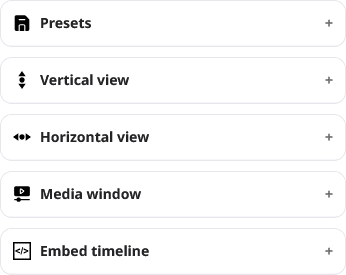
The customizer organizes the visual options into different sections. Each section groups the controls related to a specific part of the timeline.
Under Vertical view, you can adjust elements related to the vertical display of events and periods.
Under Horizontal view, you can modify elements of the horizontal time axis, such as the appearance of the canvas, events and periods.
Under Media window, you can configure the appearance of the window in which images and other visual resources are displayed.
Under Embed timeline, you can adjust how the timeline is presented when it is embedded on another web page. This section also lets you configure the logo displayed in the embedded version.
Some option groups include a Spread button. This button applies the current values of a group to other equivalent controls, helping you maintain a consistent design without manually repeating the same configuration in several sections.
Preview
The customizer includes a preview of the embedded timeline, allowing you to check how visual changes affect it before applying them permanently, review the result of your adjustments and correct them before saving the customization.